






















Turn Flat Lays into AI Swimsuit Models: No Photoshoot Needed (2026 Guide)
 Pic Copilot Team
It’s peak sourcing season. You have the perfect swimsuit design, but organizing a photoshoot in Miami or Rio takes weeks and costs a fortune.
Worse? Competitors are using the same generic AI model faces, causing "banner blindness."
Stop settling. In 2026, the winner is the seller who owns their "Visual Identity."
Meet PicCopilot's new Conversational Editing. It’s not just a tool; it’s your 24/7 Creative Director. Turn a simple flat lay into a bestseller—just by typing.
By simply typing, you can manually "sculpt" an exclusive model that fits your brand's tone perfectly. Combine this with our One-Click PDP Design (supporting 14 languages), and you have the recipe for a true Amazon Best-Seller.
I. The Core Shift: From "Template" to "Sculpture"
In the past, you had to interview models at an agency. Now, you just need to upload your swimwear's Ghost Mannequin or Flat Lay image and start chatting with PicCopilot.
This isn't just "face swapping"; this is "Visual Creation."
- Step 1: Define Your "Muse"
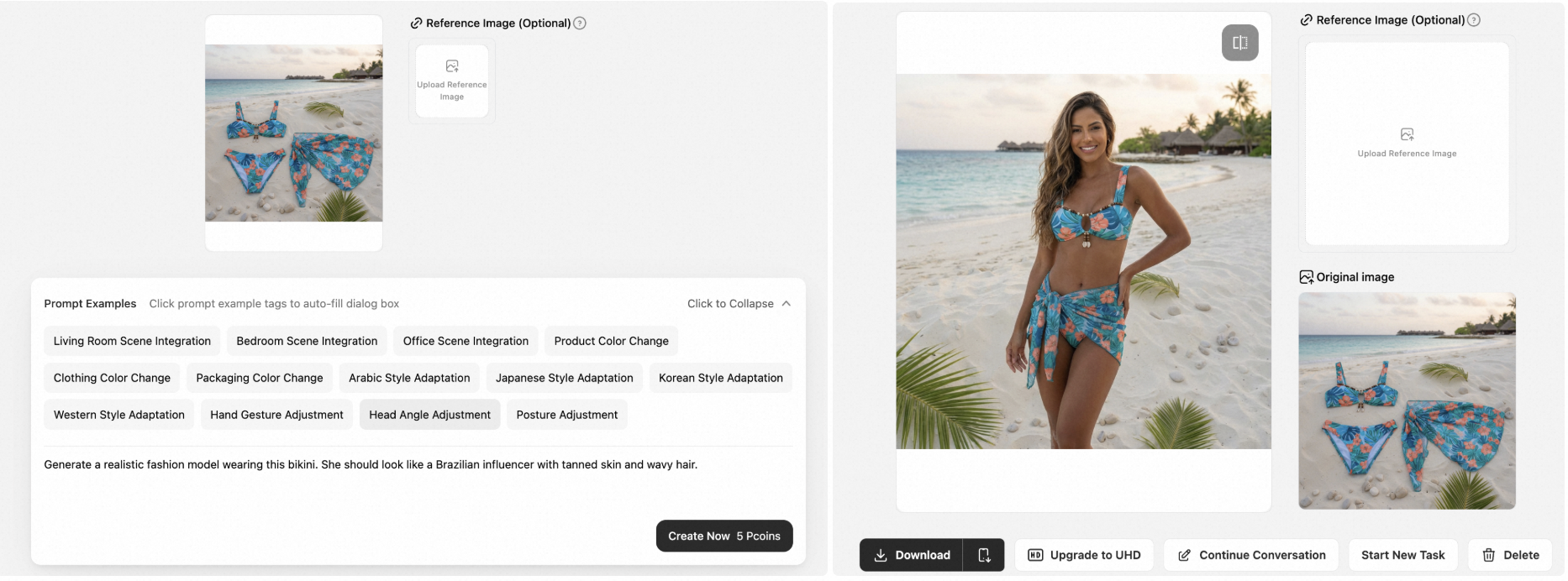
- Your Prompt: "Generate a realistic fashion model wearing this bikini. She should look like a Brazilian influencer with tanned skin and wavy hair."
- AI Execution: Using generative technology, the AI takes your static product image and dresses it onto a unique "Brazilian Influencer" who never existed before. You have just created your brand's exclusive model!
- Step 2: Adjust Body & Style
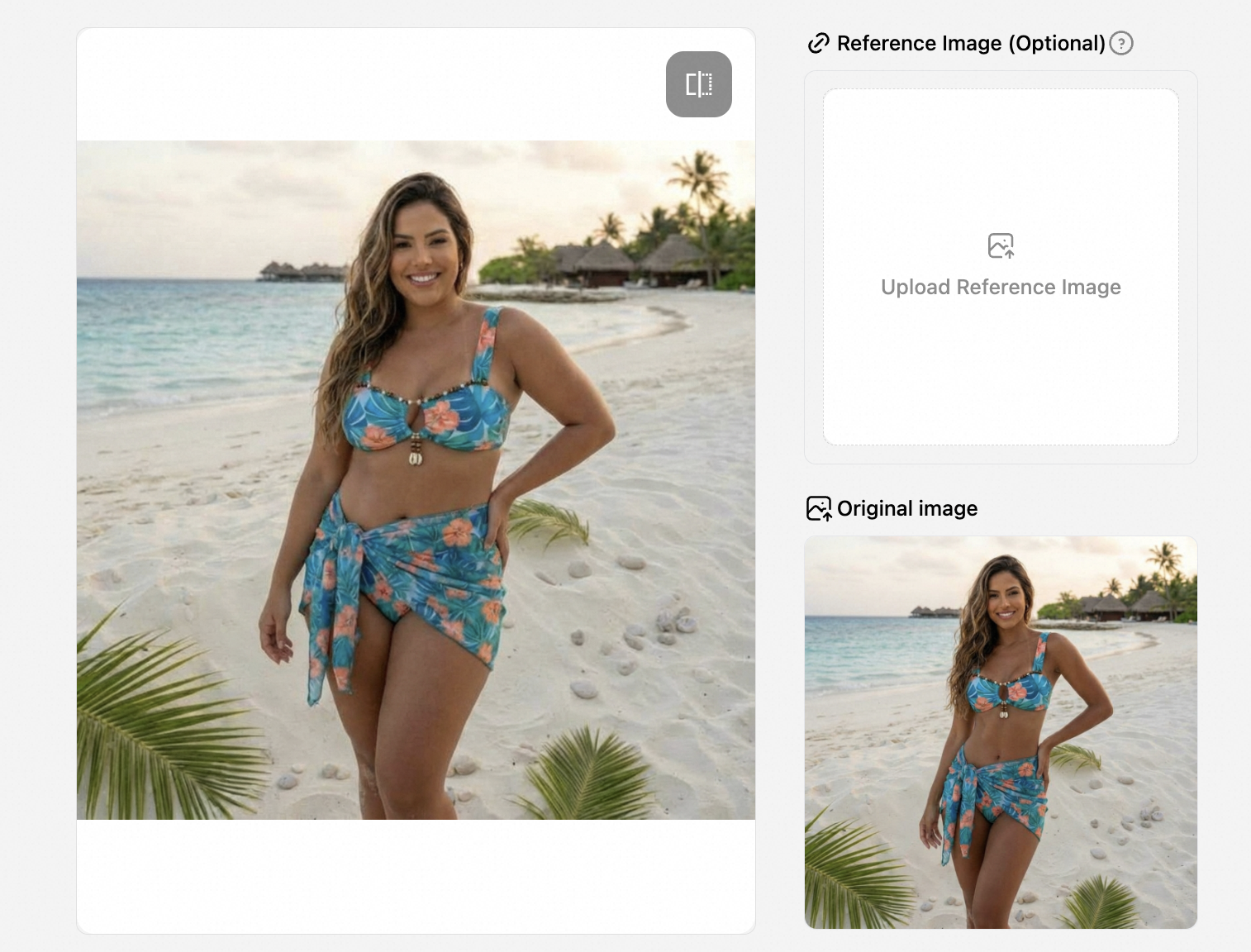
- Your Prompt: "Make the model look more curvy." or "Change the pose to sitting on a beach chair."
- The Value: Do you want Plus-size or Petite? High-fashion chic or Sweet girl next door? It’s all up to your command.
II. Precision Control: Conversational Editing
You've generated the model, but want to adjust the details? Previously, this required a professional Photoshop team. Now, just keep "chatting." PicCopilot’s Conversational Editing focuses on powerful "Visual Modification" capabilities:
- Scenario A: Fixing & Optimizing
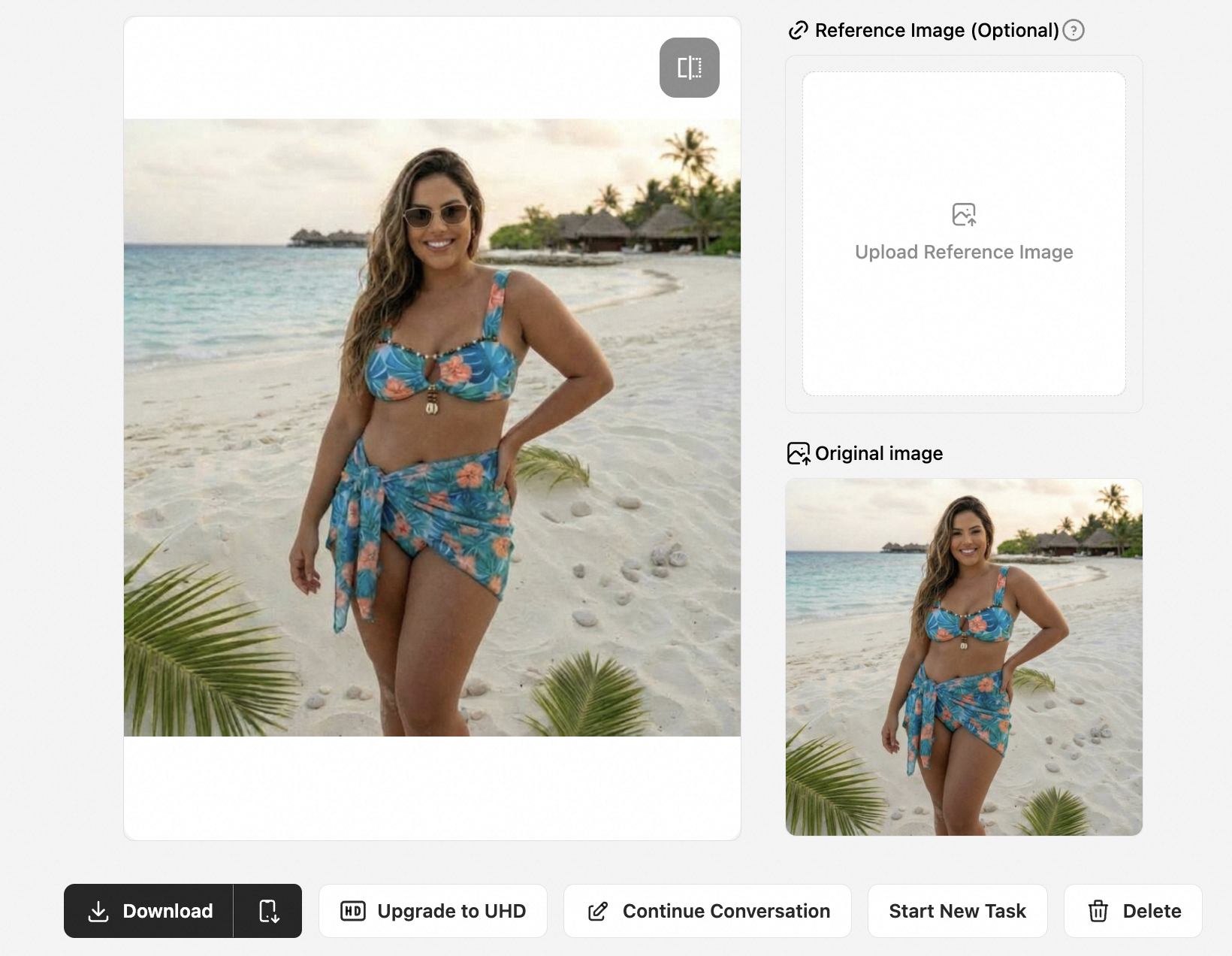
- Your Prompt: "Fix the strap on the left shoulder" or "Remove the sunglasses."
- AI Execution: The AI accurately identifies image semantics and repaints specific areas without destroying the original lighting and texture.
- Scenario B: Vibe Customization
- Your Prompt: "Add a golden hour sunlight effect from the right" or "Change background to a luxury yacht."
- AI Execution: Instantly ramp up the "High-Saturation Tropical Vibe"—the secret sauce for high Click-Through Rates (CTR).
III. The Global Conversion Engine: One-Click PDP in 14 Languages
You've sculpted the perfect model and the traffic is flowing in. But to get customers to click "Add to Cart," you need one final push.
Return rates in the Swimwear category are notoriously high (often over 30%). The root cause is "Lack of Transparency"—photos don't show the fabric clearly, and text doesn't explain the fit. PicCopilot’s PDP Design System was born to solve this. It’s not just a layout tool; it’s an "Engine for Lowering Returns and Boosting Conversion."
Our one-click generation covers three core conversion logics:
1. "Microscope-Level" Detail Breakdown (Feature Explosion)
- The Pain Point: Buyers hesitate because they fear "cheap quality." Will the metal clasp rust? Is the lining see-through? Will the stitching chafe?
- The Solution:
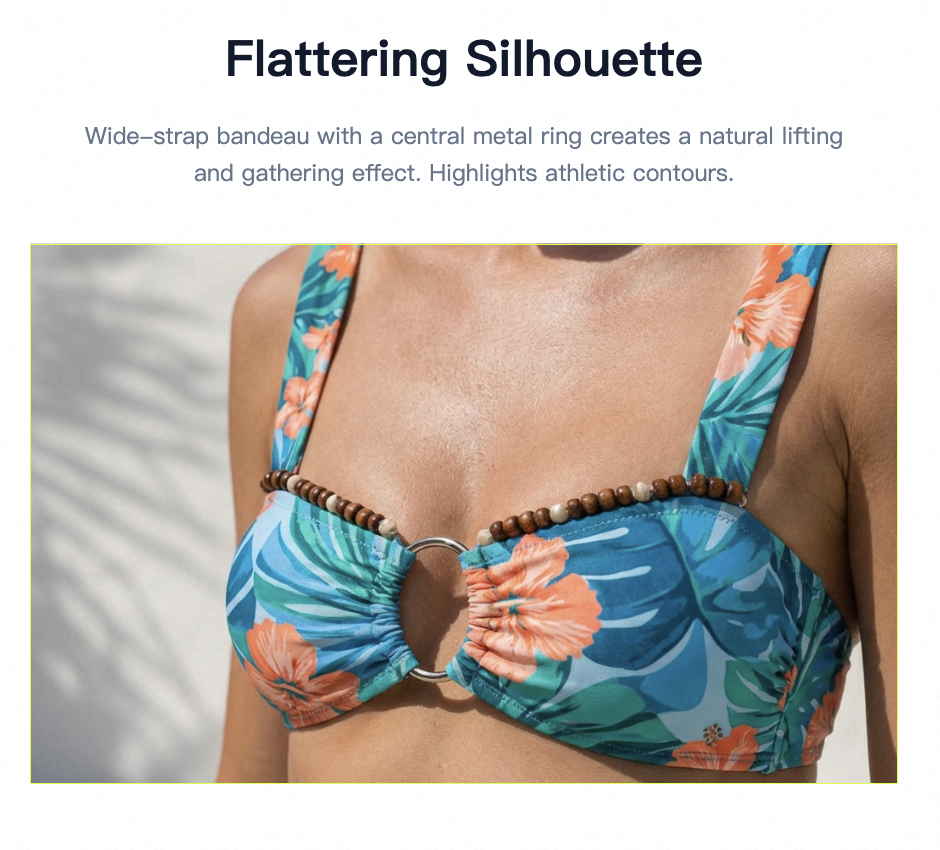
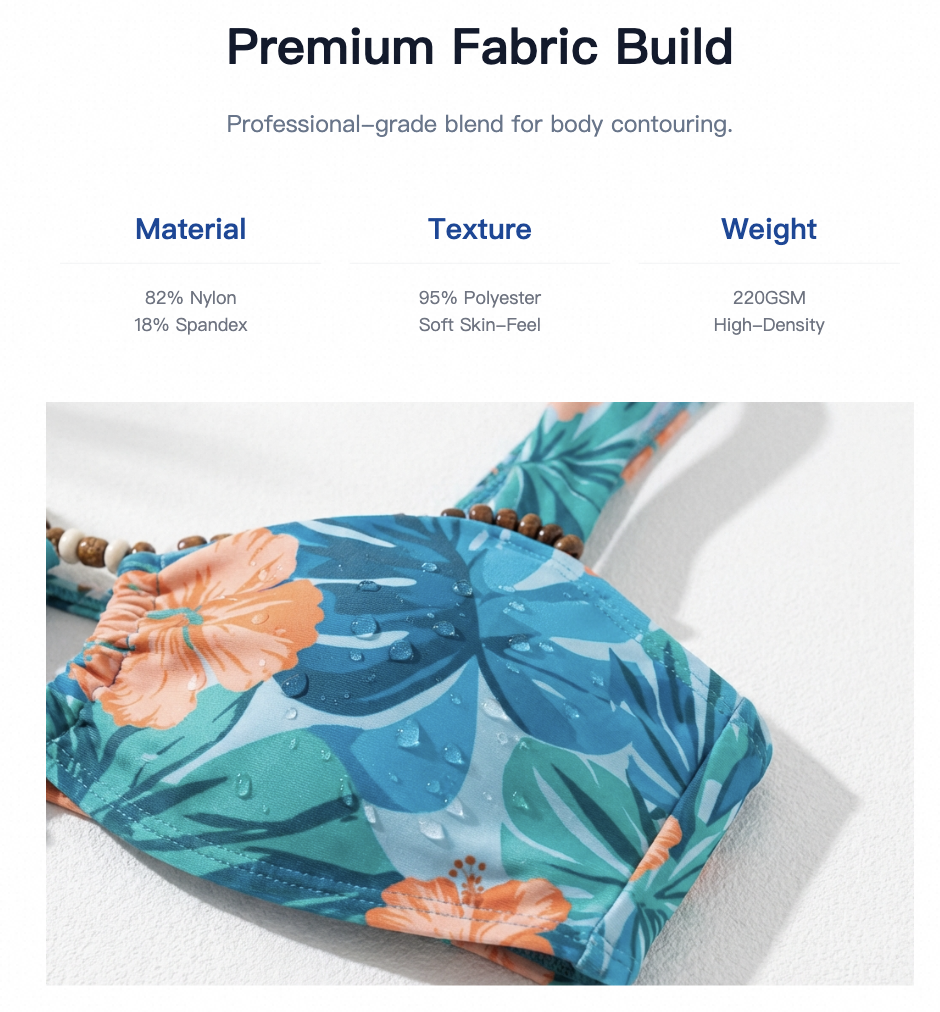
- Smart Close-ups: The AI automatically identifies and "slices" out the most persuasive details from your original image. For example, it will zoom in on the sheen of the Hardware (Zinc Alloy) or the texture of the Fabric.
- Visual Psychology: When a PDP features macro-level detail shots (like the "Premium Fabric Build" shown in our templates) accompanied by labels like "Zinc Alloy" or "Double-stitched," the buyer's subconscious receives a message: "This brand is confident in its quality."
2. Information Visualization: Top 5 Features Chart
- The Trend: Searches for Product features top 5 are rising. Users are tired of reading walls of text; they want digestible facts at a glance.
- The Solution:
- PicCopilot doesn't just dump text. The system extracts core product parameters and generates Visual Data Dashboards.
- Example: It converts "82% Nylon + 18% Spandex" into a Material Chart; it turns "Breathability" and "Stretch" into 5-Star Progress Bars. This structured display helps buyers make a decision in 3 seconds.
3. "Native-Level" Localization in 14 Languages
- The Pain Point: Many sellers use basic translation software, resulting in stiff, robotic descriptions that kill trust with local buyers (e.g., Brazilian buyers seeing machine-translated Portuguese).
- The Solution:
- PicCopilot supports one-click switching between 14 major languages (English, Portuguese, Spanish, German, French, Japanese, etc.).
- Context Adaptation (Not just translation):
- For Brazil (Portuguese): The system prioritizes local e-commerce terms like "Provador Virtual" (Virtual Fitting Room) and "Realce suas curvas" (Enhance your curves) rather than literal translations.
- For Germany (German): The layout automatically adjusts to accommodate longer German compound words, maintaining a clean and professional look.
- The Value: One set of assets instantly multiplies into 14 localized Listings, allowing your swimwear to sell seamlessly in both Rio de Janeiro and Berlin.
IV. Platform Compliance: Instant White Background
Finally, don't forget Amazon and Shopify compliance.
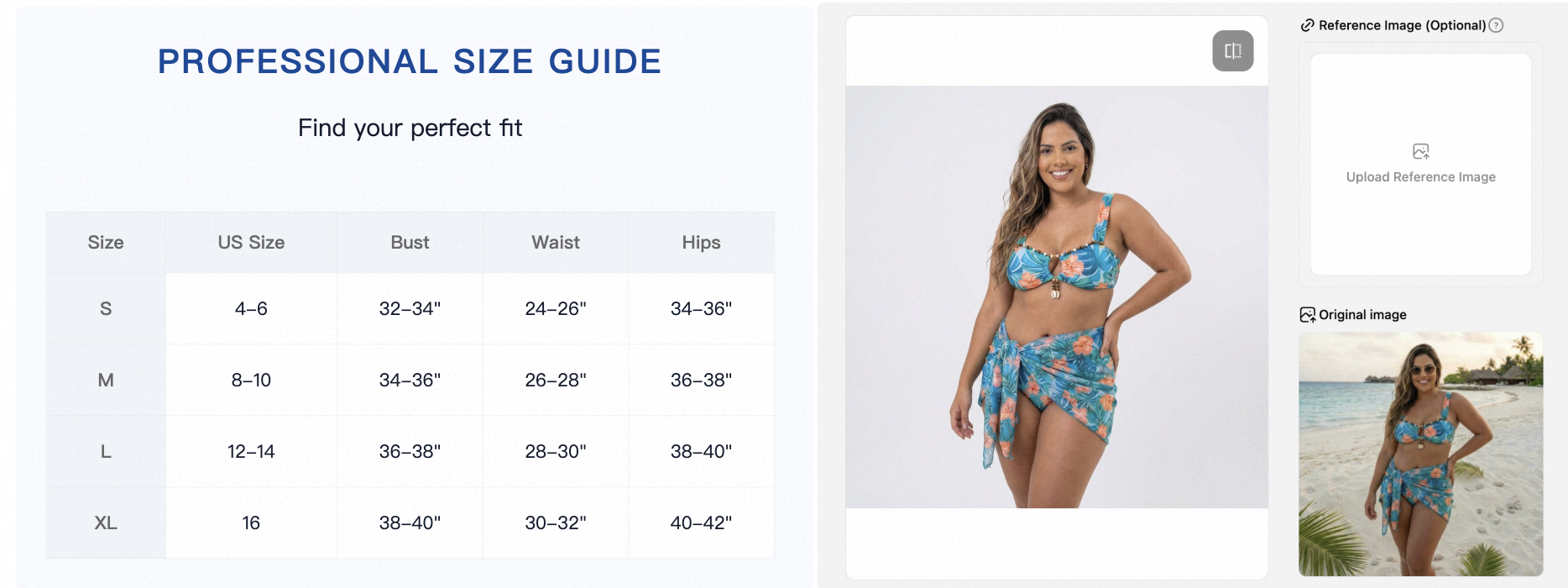
With PicCopilot, you can issue a command at any time: "Put this model on a white background."
The AI will perfectly extract the model you painstakingly "sculpted," creating a clean, professional white background main image while retaining natural Drop Shadows, avoiding the fake "sticker" look.
Conclusion
Stop using those generic, overused AI models.
With PicCopilot, you are the Creative Director. Through Conversational Editing, you define the model's skin tone, body type, and setting. Through All-Language PDP Design, you define the product's selling points and story.
From a single flat lay image to a global, best-selling Listing—all you need to do is type.