


 Virtual Try On
 AI Model Swap
 Fashion Reels
 Product Avatars
 Product AnyShoot
 Virtual Try On Accessories
 AI Backgrounds
 Style Clone
 Remove Watermark
 AI Templates
 Image Translator
 AI Dubbing
 Virtual Try On Shoes
 AI Avatars
 Background Remover
 AI Shadows
 Image Upscaler
 Image Enhancer
How to Create KDP A+ Content That Looks Like a Major Publisher (In Minutes)
 Pic Copilot Team
Is Your KDP Page Radiating "Major Publisher" Energy?
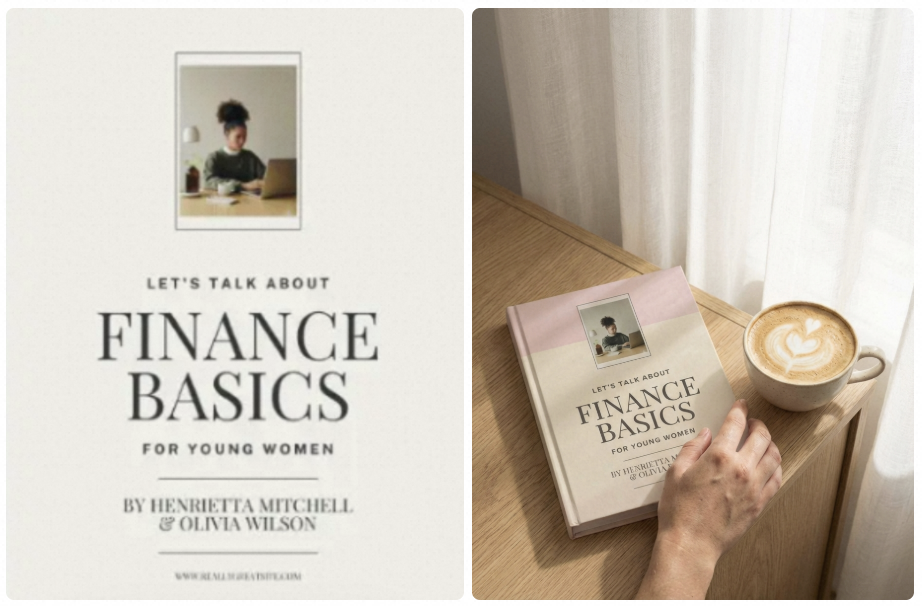
Does your book look like a bestseller—or a weekend project?
When most authors encounter the "From the Publisher" section in the KDP dashboard, they do one of two things: they skip it entirely, or they upload a grainy, flat image of their front cover.
This is the exact moment you lose the sale.
That empty white space is your most valuable "Visual Real Estate" on Amazon. It is the literal dividing line between an "indie" look and a professional, "Big Five" publishing house feel. If you’ve been struggling with zero design skills, no Photoshop experience, or the frustration of finding high-quality mockups, there is a game-changing solution: Instant AI Automation.
According to Amazon’s internal data, high-quality KDP A+ Content can directly boost your conversion rates by 3% to 10%. Don’t leave your success to chance—AI KDP A+ Content build your authority for you.
Why A+ Content is the "Secret Sauce" for Indie Authors
In the early days of Kindle Direct Publishing, independent authors were easy to spot. Their pages were text-heavy, lacking the visual "pop" of books from Penguin Random House or HarperCollins.
A+ Content changed the game. It leveled the playing field.
1. Eliminating the "Self-Published" Stigma
Let’s be honest: some readers are still biased against self-published books. They associate "indie" with "unpolished." Professional A+ Content—the rich images, comparison charts, and stylized quotes found further down the product page—signals to the reader that this book is a premium product. It builds instant trust.
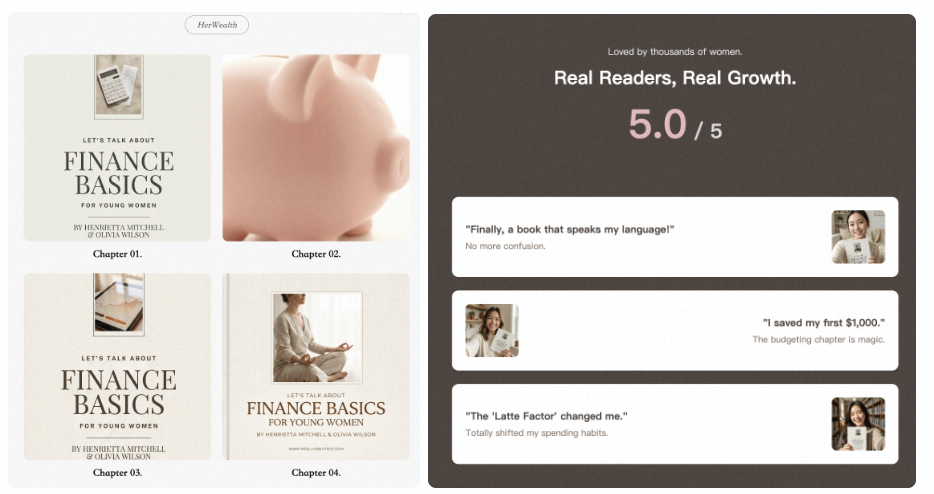
2. Mobile-First Selling
Most readers shop on their phones. On the Amazon mobile app, the "From the Publisher" section often appears above the text-based product description. If your visuals aren't stopping their thumb-scroll, you've already lost them.
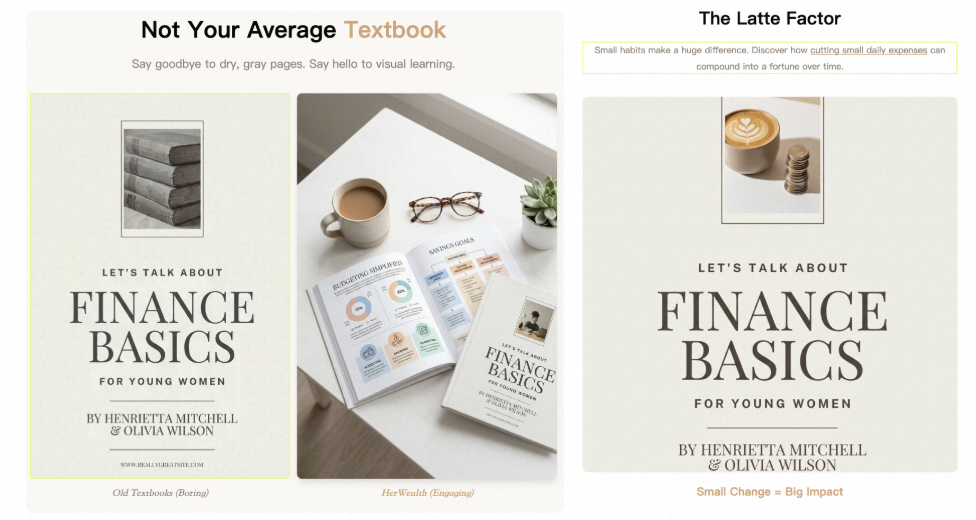
3. Cross-Selling Your Catalog
If you have more than one book, A+ Content is your best friend. Through the "Standard Comparison Chart" module, you can literally advertise your other titles on your current book’s page for free.
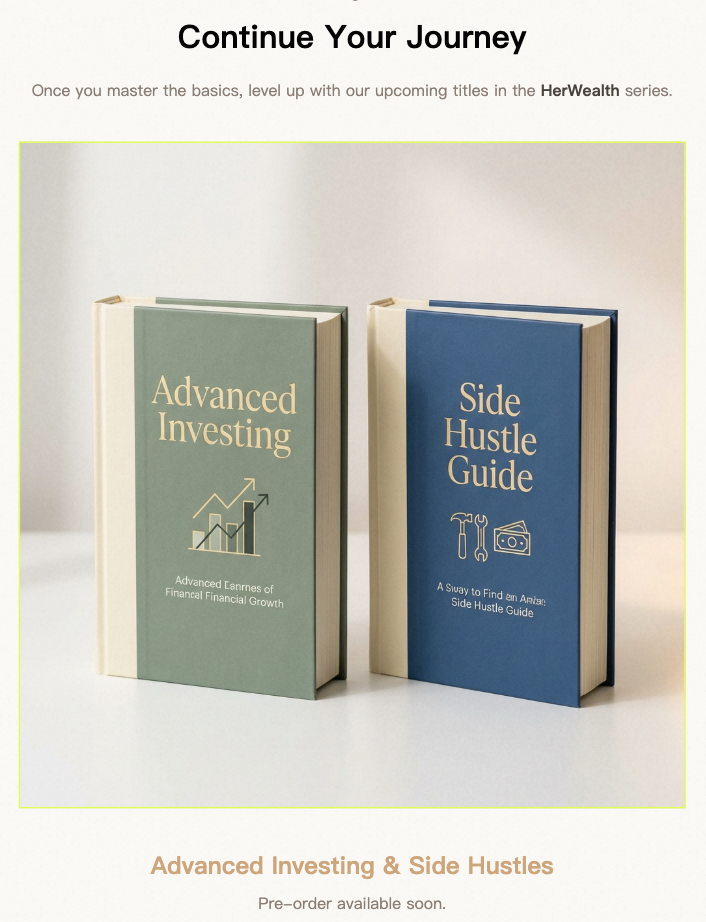
The Anatomy of a High-Conversion A+ Page
You don't need a degree in marketing to design a great page. You just need to follow the blueprint used by major publishers. A professional KDP A+ layout generally consists of three core "pillars."
Pillar 1: The Emotional Hook (The Banner)
The first thing a reader should see is a wide, cinematic banner.
- What it should be: A lifestyle image of someone reading your book, or a high-def "mockup" of the book sitting on a wooden table with a cup of coffee.
- The Goal: To set the mood. If it’s a thriller, use dark, atmospheric tones. If it’s a romance, use bright, airy visuals.
Pillar 2: The "Why You Need This" (Feature Highlights)
Use the 3-image or 4-image module to break down the benefits of your book.
- For Non-Fiction: List the 3 main problems your book solves.
- For Fiction: Highlight 3 tropes or "vibes" (e.g., "Enemies to Lovers," "Found Family," "Dystopian Future").
Pillar 3: The Author Connection (The Human Element)
Readers buy from people, not corporations. Including a "Note from the Author" module adds a layer of authenticity.
- The Goal: Share your "Why." Tell the reader why you wrote this book and what you hope they take away from it.
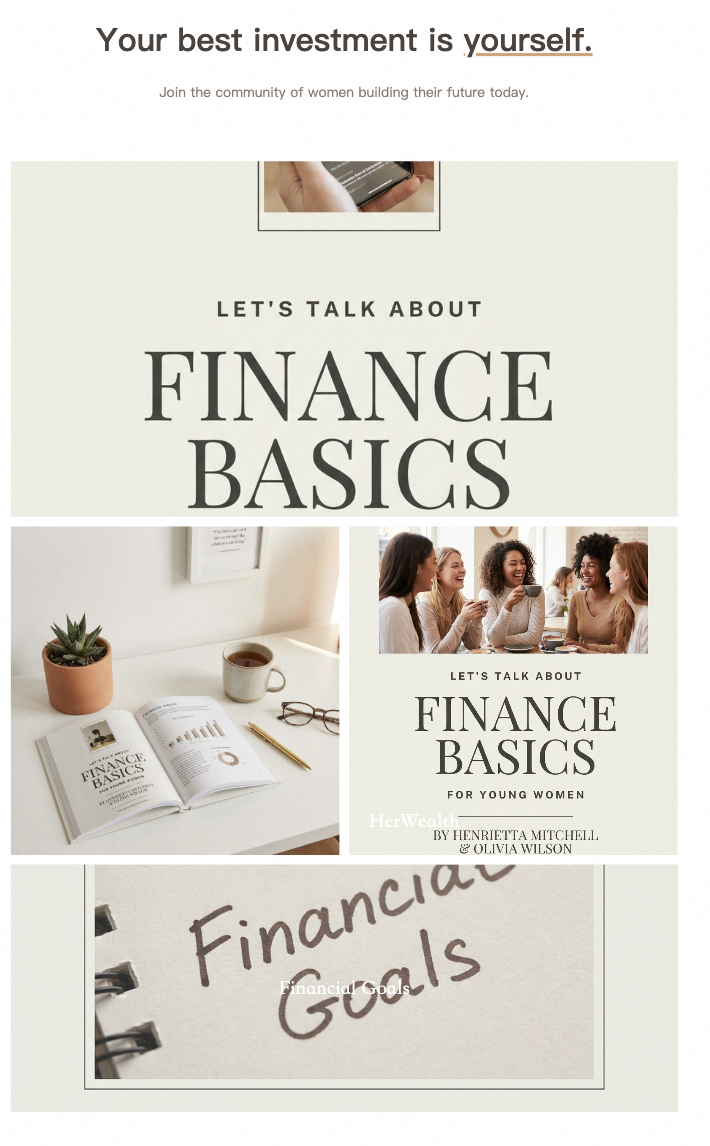
The Traditional Way vs. The AI Way
Until recently, creating these assets required a subscription to Photoshop or Canva, a library of stock photos, and hours of dragging-and-dropping.
The Traditional Struggle:
- Find high-res mockups that don't look fake.
- Align text perfectly so it doesn't look "off" on mobile.
- Ensure your brand colors match across five different modules.
- Realize the dimensions are wrong and start over.
The Professional AI Solution: You no longer need to be a designer. Our AI KDP A+ Builder understands the visual language of bestsellers. Instead of staring at a blank canvas, you provide the "DNA" of your book—the title, genre, and core themes—and the AI generates a cohesive, publisher-grade suite of images.
Why AI? Our tool doesn't just "make pictures." It analyzes the layout logic of top-selling books in your specific category. It knows that a "Business & Money" book needs clean lines and bold sans-serif fonts, while a "Epic Fantasy" book needs textured backgrounds and serif typography.
Step-by-Step: Building Your Professional Page in Minutes
Forget manual designing. Our AI-driven workflow handles the heavy lifting, even if you’re starting from scratch. Here is how to automate your way to the top:
Step 1: Upload Your Foundation (or Find Inspiration)
The magic starts with a single image.
- Have a cover? Simply upload your current book cover.
- Need a fresh look? If you don’t have a high-end cover yet, find an image that matches your book’s vibe.
- The AI Editor: Use the Piccopilot Chat Photo Editor to instantly swap titles and author names. It adapts to the original style perfectly, giving you a custom, professional base for your A+ content in seconds.
Step 2: Define Your Identity (SKU & Sell Points)
Once your visual base is set, it’s time to give the AI some "brainpower."
- Input your Book Title, SKU, and key Selling Points.
- The AI Analysis: Our engine doesn't just "stretch" your cover. It analyzes your book’s DNA to determine the best layout, fonts, and emotional triggers used by top-selling publishers in your genre.
Step 3: One-Click "Hero" & Module Generation
Click "Generate" and watch the AI work. It will automatically produce:
- 3D Cinematic Mockups: Your book will be placed in high-end, realistic settings (on a bedside table, in a reader's hand, etc.).
- The "Goldilocks" Layout: It automatically formats a Standard Image Header (970 x 600px) and supporting Feature Modules. No more worrying about Amazon's strict pixel requirements.
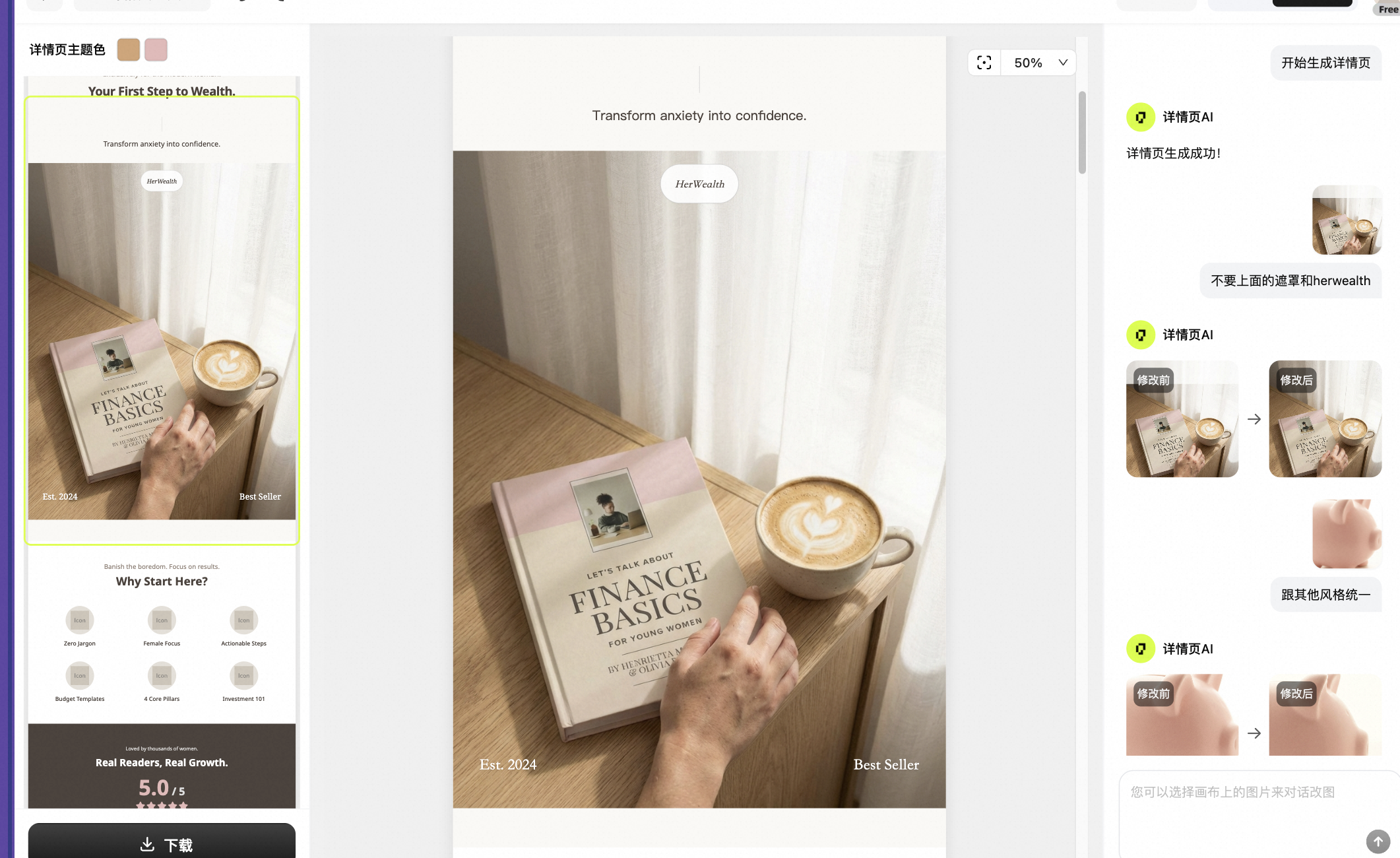
Step 4: Smart Comparison Charts (The Series Multiplier)
If you’re writing a series, this is your "Binge-Reading" engine. The AI identifies the themes and characters across your titles to generate a Comparison Table automatically. It’s the ultimate way to cross-sell your catalog without lifting a finger.
Step 5: Direct Upload to KDP
- Log in to your KDP Dashboard.
- Navigate to Marketing > A+ Content Manager.
- Upload the high-res, perfectly sized assets downloaded from our AI.
- Pro Tip: Don't ignore the Alt-text field during upload! Our AI even suggests SEO-friendly Alt-text keywords to help your book rank in Google and Amazon search results.
Stop Leaving Money on the Table
Your book is a masterpiece; don't let its presentation be an afterthought. An empty "From the Publisher" section is a signal to readers that the author didn't "finish" the job.
By using professional visuals, you aren't just decorating a page—you are building a brand. You are telling the reader that you value quality, and that the experience of reading your book will be just as polished as the images they see on the screen.
Ready to see your book in a new light? Don't spend your weekend wrestling with design software. Use our AI-powered tools to generate your professional A+ content in the time it takes to drink a cup of coffee.
Try our AI KDP A+ Builder for free today and turn your Amazon listing into a high-conversion sales machine.