






















WooCommerce Product Detail Page Generator
Turn raw images into professional, high-resolution visual layouts automatically. Features intelligent auto-layout, 4K image upscaling, and chat-based refinement—no coding or plugins required.
Features of WooCommerce Product Detail Page Generator
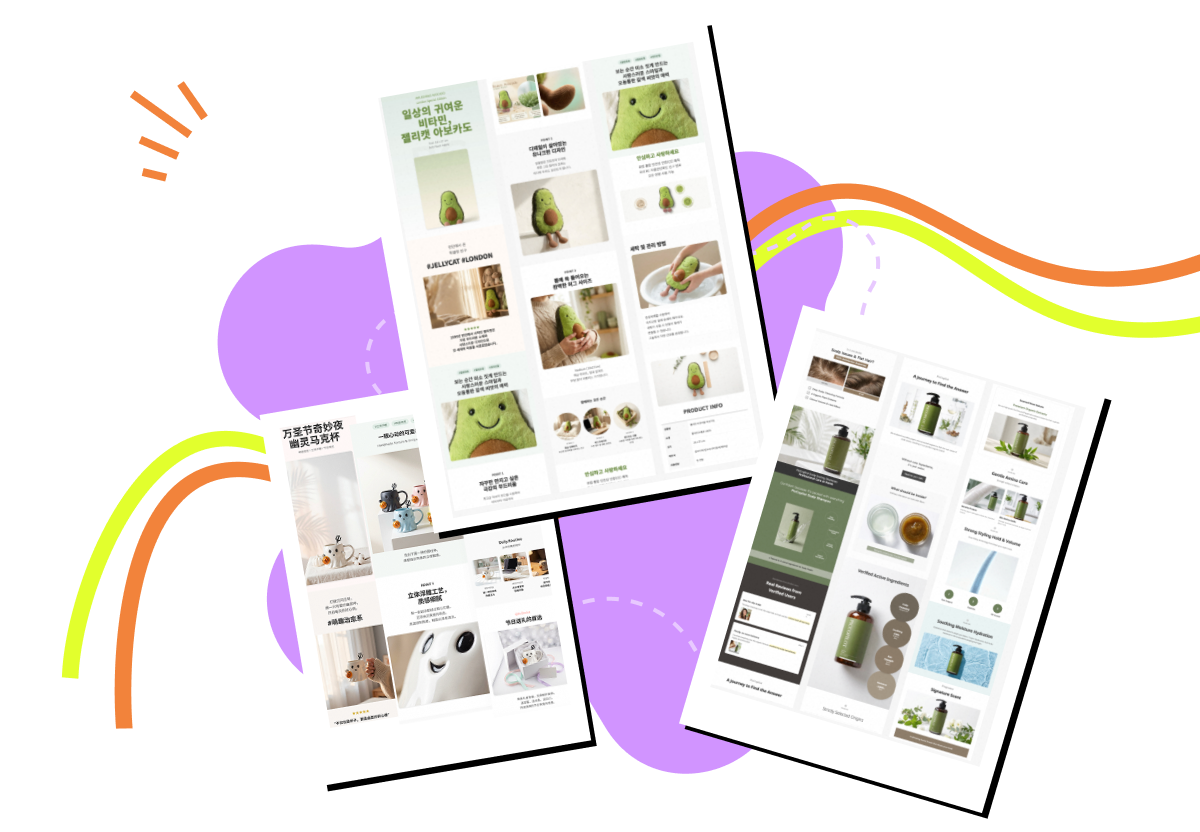
Our Nano Banana 2 powered engine transforms raw images into studio-grade WooCommerce product pages by replacing slow-loading plugins with 4K "Liquid Assets" and allowing for instant, chat-based layout refinements.

Smart Variation Showcase
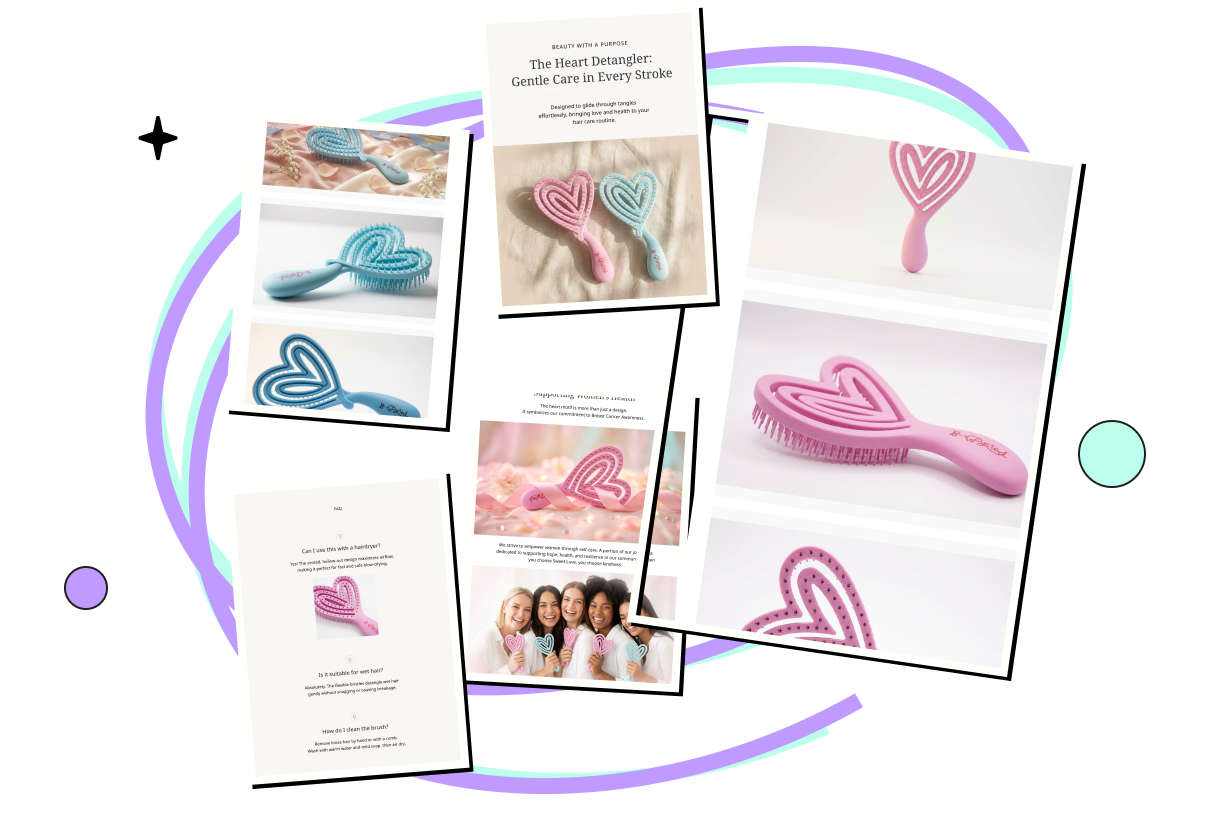
Native WooCommerce hides your product variations behind clumsy dropdown menus. Stop forcing customers to click 5 times just to see what "Blue" looks like. Upload photos of all your colors. Our AI intelligently groups them into a stunning "Collection View" image to insert into your description. It creates a static, high-res visual catalog where customers can instantly compare all color options side-by-side before they make their selection in the checkout box.

4K Upscaling & "Macro-Lens" Visuals
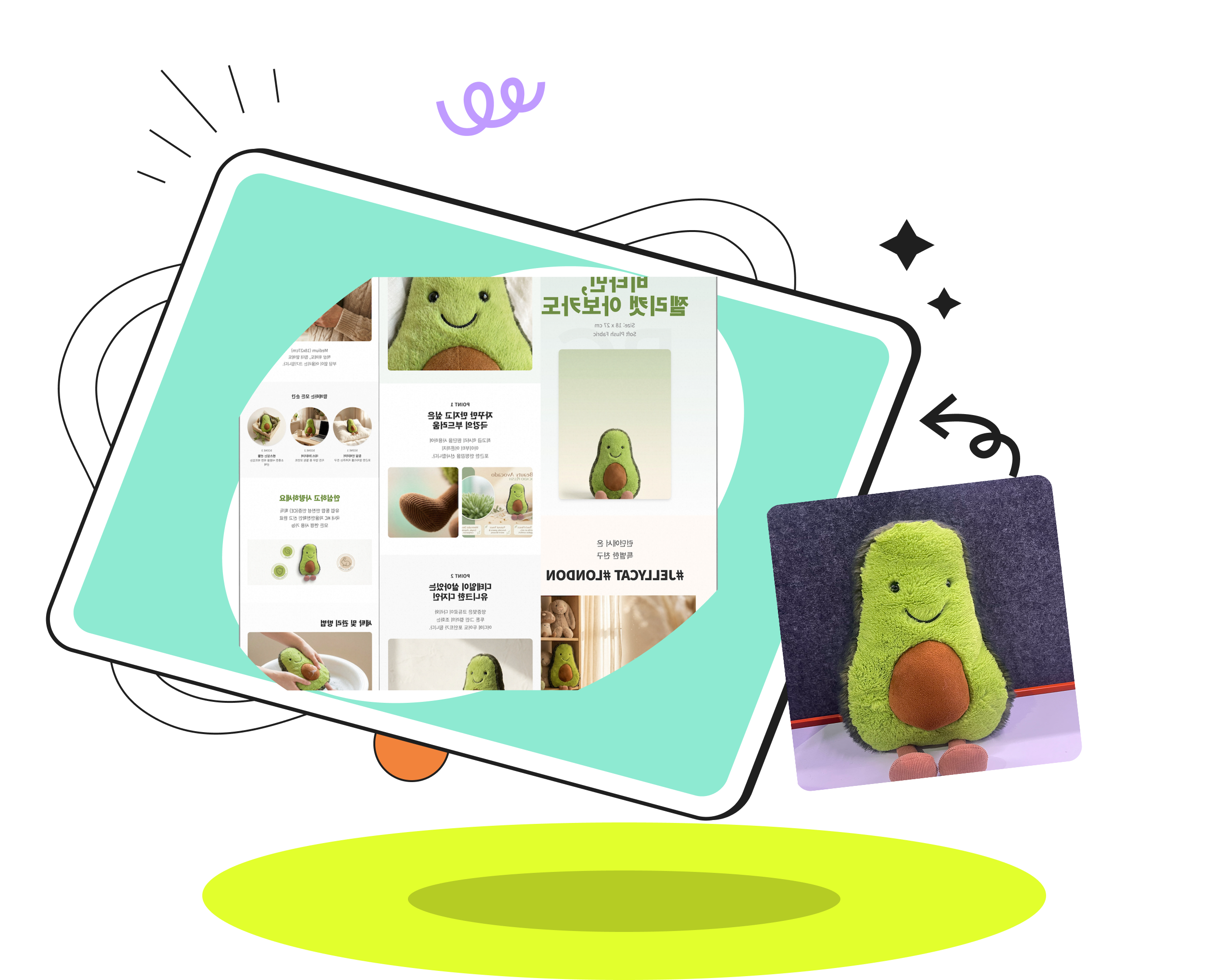
WooCommerce theme compression often ruins image quality. We solve this at the source. Our engine automatically upscales your raw uploads to crystal-clear 4K resolution. Instead of relying on a buggy "hover zoom" feature, the AI extracts key details (like fabric texture or port inputs) and generates specific "Close-up Cards", ensuring your product looks sharp on any mobile device, bypassing theme limitations.

Smart Auto-Layout with Chat-to-Refine
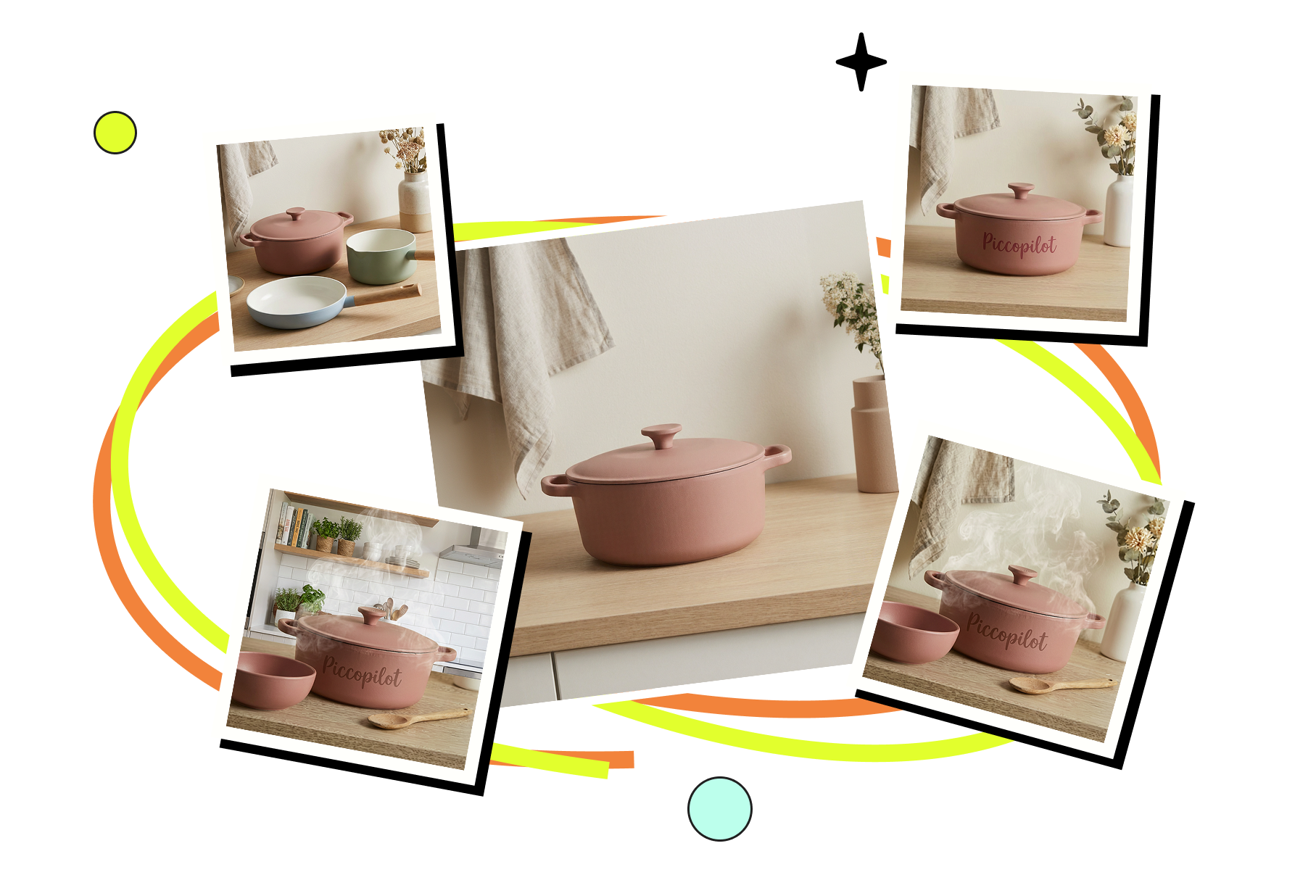
Forget spending hours dragging and dropping blocks in Elementor or Divi. Our AI instantly generates a fully structured, professional layout based on your product category. Need changes? It's the best of both worlds: simply click to manually edit any text (price, specs), but for visuals, use our "Chat-to-Edit" magic. Want to change a plain photo background to a "sunlit kitchen"? Just type the command, and the AI redraws that specific image instantly. No coding, no complex design tools.
Create Woocommerce Product Page in 3 Simple Steps
- Step 1
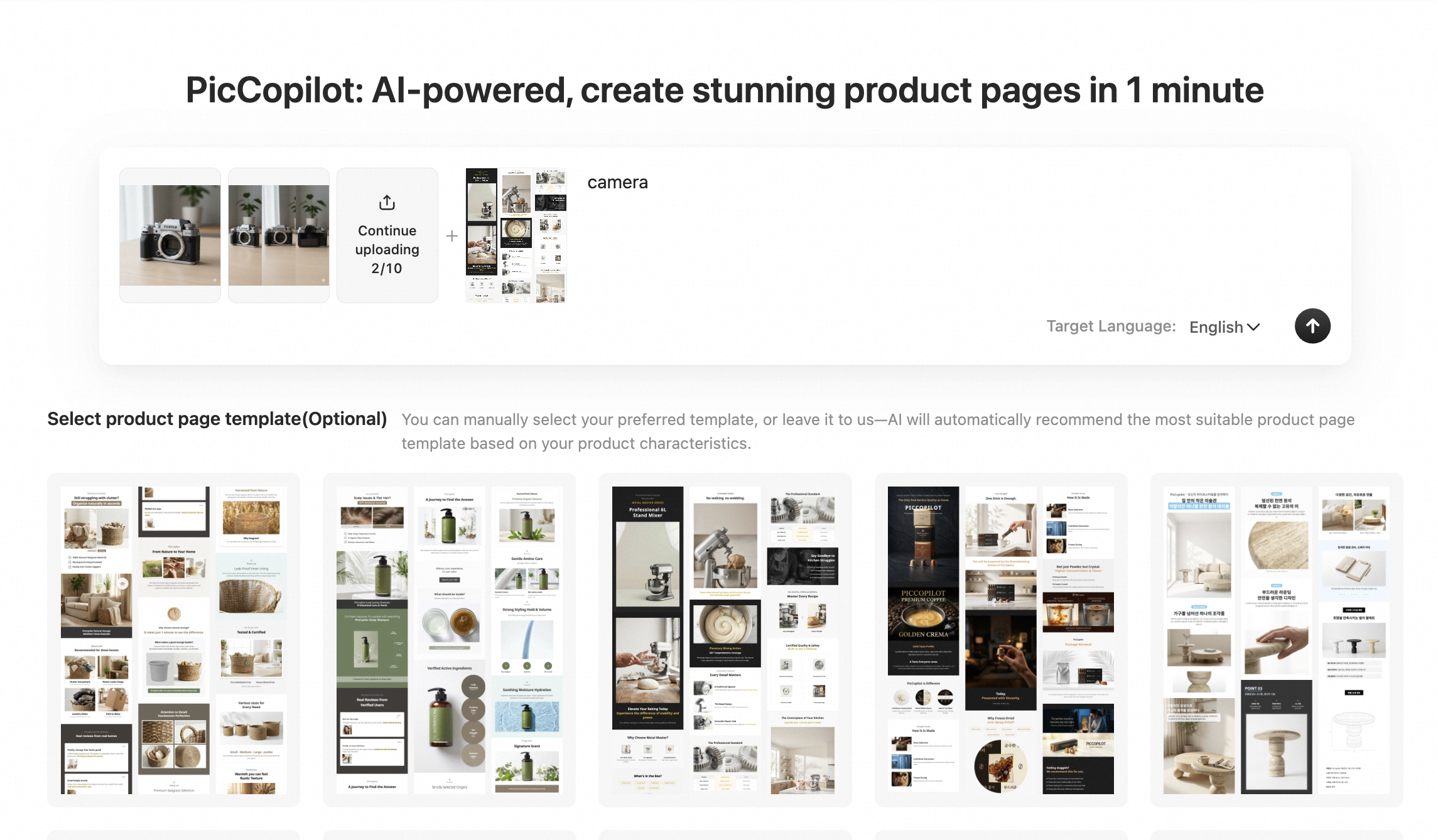
Upload & Context Awareness
Drag and drop your raw product images—even the messy ones from your supplier. Select your target language. Our AI instantly identifies your product category (e.g., "skincare" vs. "headphones") to automatically set the correct design tone, layout structure, and visual hierarchy suitable for WooCommerce.
- Step 2
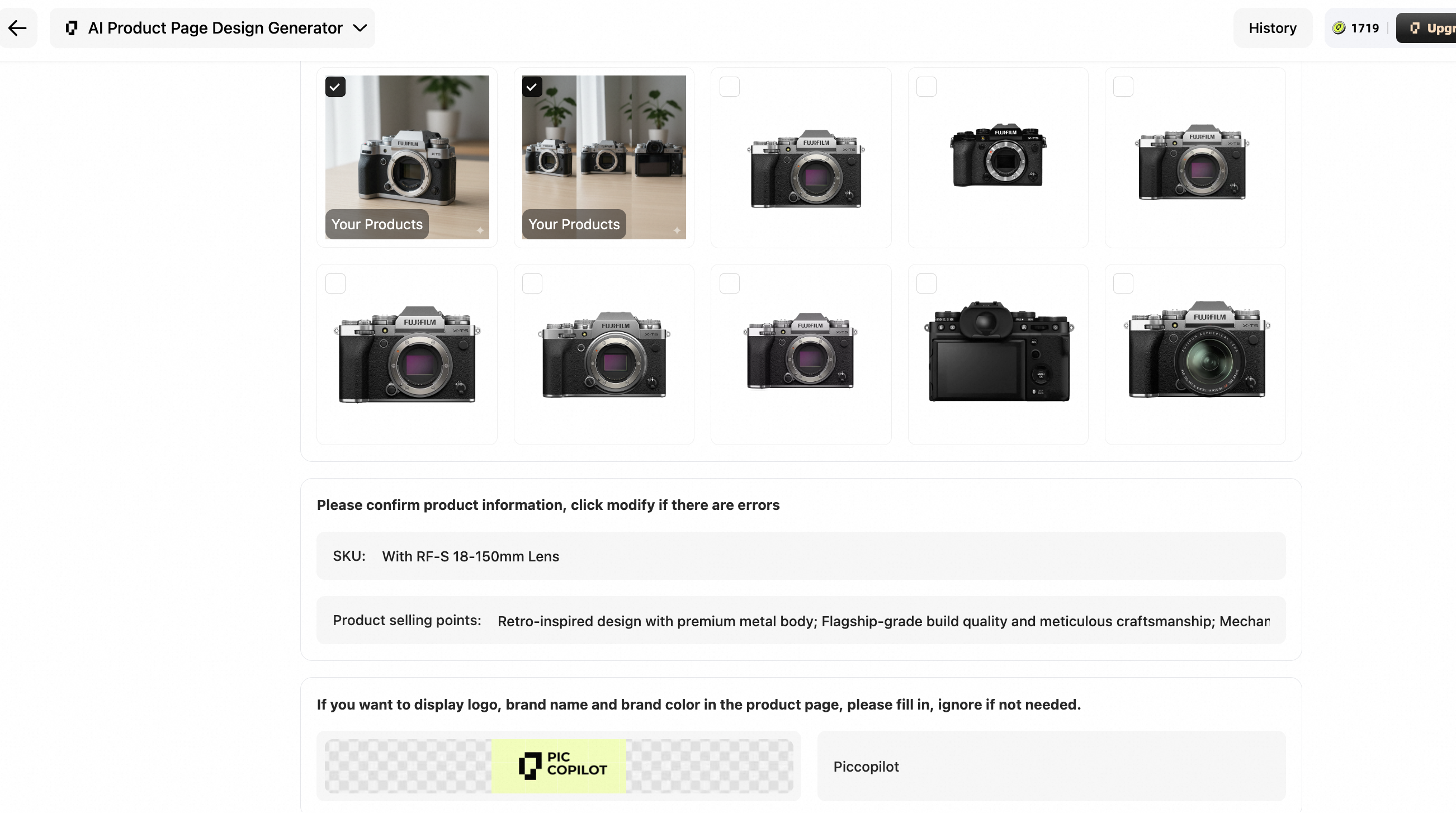
AI Deep Analysis & Brand Customization
The AI scans your images to extract Selling Points (like "USB-C" or "Organic"). Simply upload your Logo. The AI Assistant then "interviews" you, asking deep-dive questions about specs or usage scenarios to ensure the generated copy matches your brand voice, and automatically places your logo into the scenes naturally.
- Step 3
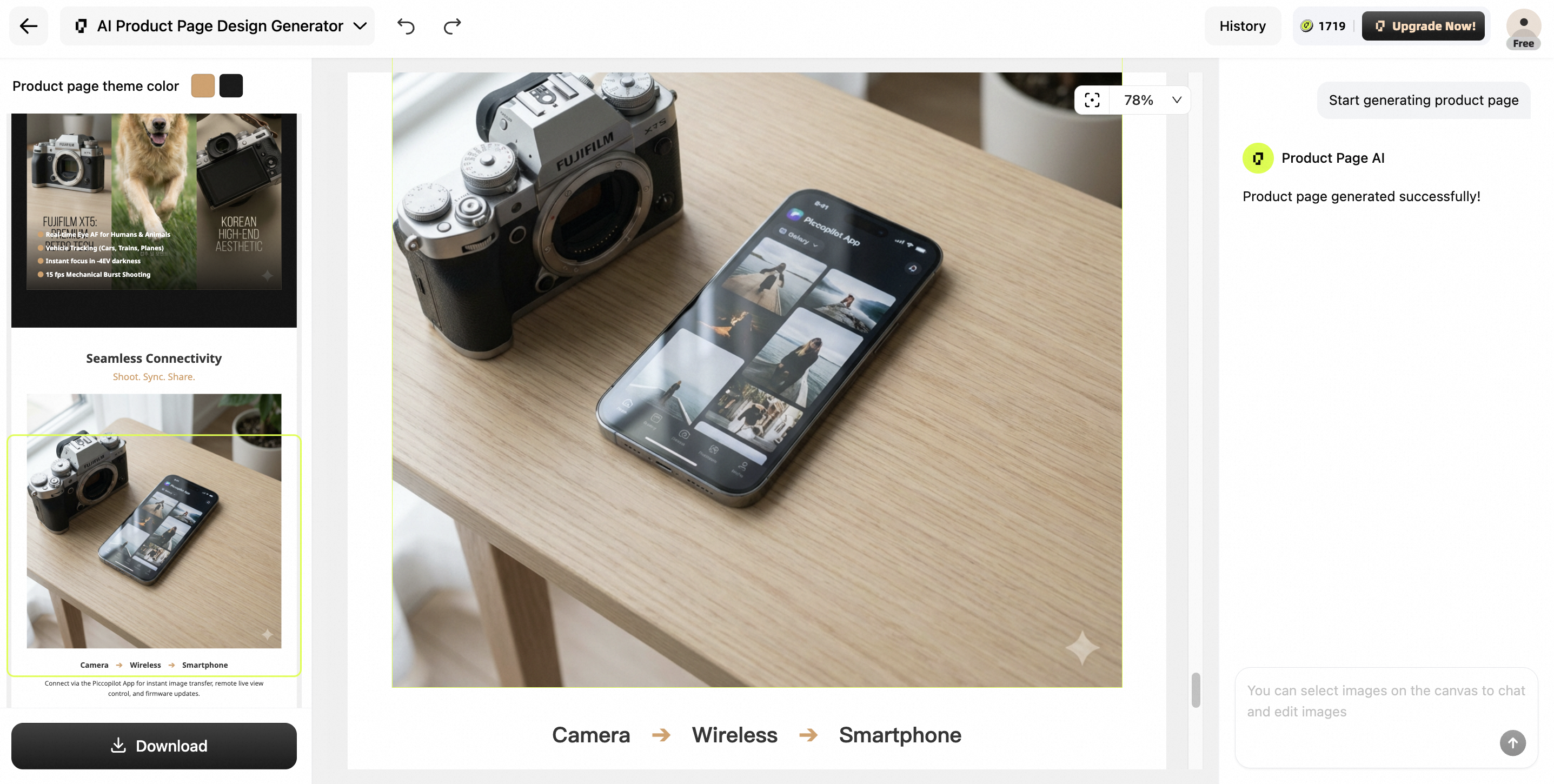
Generate, Chat-to-Edit & Download
Powered by our proprietary Nano Banana engine, a complete, high-converting product detail page is rendered in minutes. Not 100% happy? Click any image block and chat with the AI (e.g., "Make the light softer"). Once perfect, download the sliced assets and paste them straight into your WooCommerce editor.
How Our Users Say?

Native WooCommerce requires customers to select a dropdown to see the color change. That sucks. I used this AI to generate a 'Family Portrait' image showing all 5 iPhone case colors in a row. Customers love seeing the full lineup instantly in the description area.

I was tired of my store looking like every other site. The AI took my basic phone photos and turned them into a 4K visual experience. My variation sales for sneakers went up 40% because people could finally see the colors clearly.
I use this for all my client sites now. Building high-converting product pages in Woo used to take all day. Now the AI does the heavy lifting, and the site speed stays at a perfect 100. It's a game-changer for WordPress SEO.
You Asked, We Answered
How is this better than using Elementor or Divi for WooCommerce?

Elementor are heavy and slow down your site. Our AI generates ultra-lightweight, high-converting layouts that look custom-coded but load $3\times$ faster, directly improving your SEO and mobile sales.
Can I sync these AI-generated pages directly to my WooCommerce store?
Yes. Once you're happy with the AI's layout and visuals, you can sync the entire product detail page directly to your WooCommerce backend with one click—no manual copy-pasting required.
Does it support WooCommerce variation products?
Absolutely. The AI is designed to handle complex variations. It automatically maps your "Attributes" (like Size or Color) to high-resolution visual assets, replacing boring dropdowns with interactive image swatches.
My current WooCommerce theme is very basic. Will this work?
Yes! Our AI overrides the limitations of standard themes. It creates a professional, modern "Visual Layer" that sits on top of your store, giving you a high-end brand look regardless of your base theme.
How does the "Chat-to-Refine" feature save me time?
Instead of manually dragging margins or changing fonts, you just talk to the AI. Tell it to "match my brand colors" or "add a technical spec table," and the AI executes the design task instantly, saving you hours of manual editing.
Explore More of Our Tools
Fashion AI

Fashion Reels
Create stunning AI fashion videos for social media and e-commerce by transforming static product photos into dynamic video reels.

Product Avatars
Generate AI model videos by uploading product photos, letting avatars present and talk about your products.

Product AnyShoot
Upload your product photo, select an AI model, and create high-quality lifestyle images with in-hand product displays—no photoshoot or post-editing required.

Virtual Try On
Showcase your clothing online with AI-generated virtual model try-on images that highlight every product detail.

Virtual Try On Accessories
Quickly generate AI model try on visuals for bags, jewelry, eyewear, hats, and more.

AI Model Swap
Swap models in photos with virtual fashion avatars in one click—even turn mannequins into lifelike human models.

Virtual Try On Shoes
Enable virtual shoe try-on with AI technology to create realistic try-on images and quickly showcase your footwear, driving conversions.
Image Tool

AI Templates
Access tens of thousands of AI marketing templates in a variety of styles for instant, professional visuals. Easily apply them to online stores, ads, and social media.

AI Backgrounds
Use AI to instantly create multiple realistic backgrounds that fit your product’s style.

AI Shadows
Automatically add or enhance realistic shadows to your product photos, creating more textured and three-dimensional images.

Style Clone
Replicate any visual style onto your product images with AI-powered style transfer.

Background Remover
Remove image backgrounds in one click using advanced AI. Instantly get product images with transparent backgrounds.

Image Translator
Translate text within images across multiple languages with AI, accurately preserving the original visual appearance.
Advanced AI Tools

Image Enhancer
Use AI enhancement to improve the quality of blurry images, preserving every original detail.

Image Upscaler
Increase image resolution without losing quality using AI upscaling.

Remove Watermark
Effortlessly remove unwanted watermarks and blemishes from images with AI, delivering a clean and professional visual result.


Why Choose Pic Copilot AI
We simplify ecommerce design, cut costs, and boost sales—effortlessly!


 Start Creating Now