


 Virtual Try On
 AI Model Swap
 Fashion Reels
 Product Avatars
 Product AnyShoot
 Virtual Try On Accessories
 AI Backgrounds
 Style Clone
 Remove Watermark
 AI Templates
 Image Translator
 Virtual Try On Shoes
 AI Avatars
 Background Remover
 AI Shadows
 Image Upscaler
 Image Enhancer
Say Goodbye to Expensive Photoshoots: How to Create "On-Model" Photos in 3 Steps with Pic Copilot
 Pic Copilot Team
Intro: The E-commerce Seller’s "Midnight Anxiety"
As an e-commerce seller, you know the drill. You have a pile of new samples, and a major platform promotion is starting in 48 hours. But you are stuck:
- Hiring Models? It costs hundreds of dollars per hour, plus travel and scheduling headaches.
- Professional Photography? Booking a studio, lighting setup, shooting, and retouching takes weeks.
- Flat Lays? They look boring, and the Click-Through Rate (CTR) is often disappointing.
If you’ve been frantically searching Google for "how to put clothes on an AI model for ecommerce photos" or "try clothes on ai model", you have finally found the right place.
Today, we are skipping the technical jargon. As a fellow e-commerce veteran, I’m going to show you the ultimate hack: Pic Copilot’s Virtual Try-On (AI Mannequin). You don’t need a studio. You just need a photo of your clothes, and our AI will do the rest.
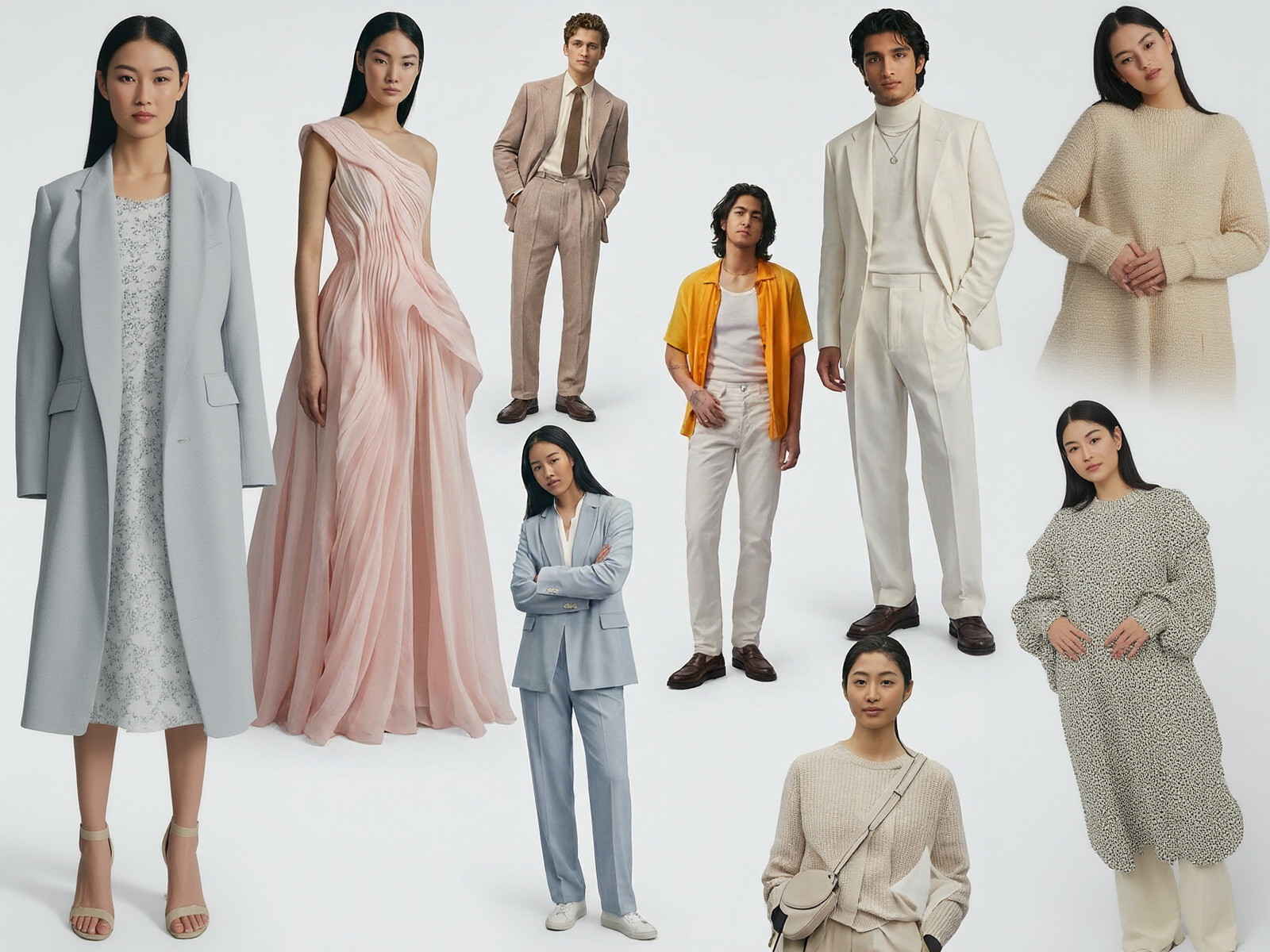
Part 1: Why Pic Copilot is the E-commerce "Cheat Code"
Before we jump into the tutorial, let’s be clear: Why do you need an AI clothing model?
Data shows that apparel showcased on real human models converts 30%-50% better than flat lays. Customers need to see how the fabric drapes and fits on a "person."
Pic Copilot solves the three biggest pain points:
- Zero Cost: No model fees, no photographer fees, no studio rental.
- Instant Speed: Traditional shoots take days. With Pic Copilot, you can put clothes on an ai model in under 30 seconds.
- Simplicity: No Photoshop skills required. The process is streamlined: Upload -> Select -> Generate.
Part 2: The Tutorial – Get Your "On-Model" Shots in 3 Simple Steps
You don’t need to know code. You just need to know how to click a mouse.
Step 1: Upload Your Clothing Image (The Only Prep)
This is the only thing you need to provide. Take a photo of your garment with your phone or camera.
- Format: It can be a photo of the clothes on a hanger (ghost mannequin), a flat lay on the floor, or even on a plastic mannequin.
- Action: Go to the Pic Copilot AI Mannequin workspace and click Upload. Our system automatically identifies the clothing, so you don’t need to manually cut it out.
Step 2: Be the Director – Select Model & Background
Once uploaded, you are in control. You are now the director of your own virtual photoshoot.
1. Select Your Model & Pose:
Who is your target audience?
- Global Faces: Selling to the US? Choose a blonde, Caucasian model. Targeting Asia? Choose a fresh Asian face. We also have diverse options for African markets.
- Dynamic Poses: Want to show professional vibes? Choose a standing pose. Selling streetwear? Choose a walking pose or hands-in-pocket look. We even offer [AI models] (Link to: Feature Page) in different body types, including Plus Size.
2. Select Your Background:
Stop using boring white backgrounds!
- Scene Marketing: Place your model on a city street, in a cozy cafe, at the beach, or in a modern living room.
- Atmosphere: A realistic background increases the perceived value of your product immediately.
Step 3: Click "Generate" (Witness the Magic)
Click the "Generate" button.
In the blink of an eye, the AI combines your chosen model, pose, and background with your uploaded clothing.
The Result:
You will see your original flat-lay shirt now perfectly worn by a realistic model.
- Natural Fit: The AI adjusts the fabric’s wrinkles and lighting to match the model’s pose (e.g., if the model has hands in pockets, the shirt will drape naturally).
- Texture Retention: The original pattern and material of your clothes are preserved 100%.
Part 3: Pro Tips – How to Scale Your Sales with AI
Smart sellers don’t just use AI to "make pictures"; they use it to test the market.
1. A/B Testing at Zero Cost
In the past, testing different visual styles was expensive. Now, you can take one shirt and generate two sets of images: "European Model + Street View" vs. "Asian Model + Indoor Studio." Run ads for both and let the data tell you which AI model try on clothes strategy works best.
2. Revive Dead Inventory
Have old stock photos that look dull? Upload them to Pic Copilot. Give them a fresh look with a new model and a trendy background. You might just turn a slow-seller into a best-seller.
Conclusion: The Future of E-commerce is Here
The search terms in the screenshot above represent the industry's desire for efficiency. "How to put clothes on an ai model" is no longer a technical challenge—it’s a one-click solution.
In a competitive market, efficiency is survival. Pic Copilot isn't just an editing tool; it is your 24/7, salary-free modeling agency.
It’s your turn.
Don’t stress over those samples. Snap a photo, upload it, and watch the magic happen.