






















Viral Hacks: Top AI Try-On Tools for TikTok and Instagram Fashion Content
 Pic Copilot Team
The Instagram Seller’s Dilemma: "I Need to Post... Again?"
If you manage a fashion boutique on Instagram or TikTok, your daily routine probably looks like this:
You wake up knowing the algorithm feeds on one thing: Video Content.
But let's be real. To feed the beast, you need:
- A model (Expensive).
- A studio (Time-consuming).
- Editing skills (Hard).
You have piles of clothes, but simply posting a flat-lay photo on Instagram Stories doesn't drive engagement anymore. You need movement. You need personality. You need a "human" element.
This is where AI try-on tools for TikTok and Instagram fashion content change the game.
Today, I’m going to show you a workflow that turns a single photo of a dress into a week’s worth of viral-ready video content using Pic Copilot.
Step 1: Create the "Base" Visual with Virtual Try-On
Before we make a video, we need a killer image. Flat lays don't stop the scroll. People do.
Instead of calling a model, use Pic Copilot’s [virtual try on fashion ai] features:
- Upload: Snap a picture of your garment (even on a hanger).
- Select Your Vibes: Choose a model that fits your brand aesthetic (Cyberpunk? Boho? Minimalist?).
- Generate: In seconds, you have a high-quality photo of a realistic model wearing your product.
Now, you have the "Asset." But for TikTok, an image isn't enough. We need to make it move.
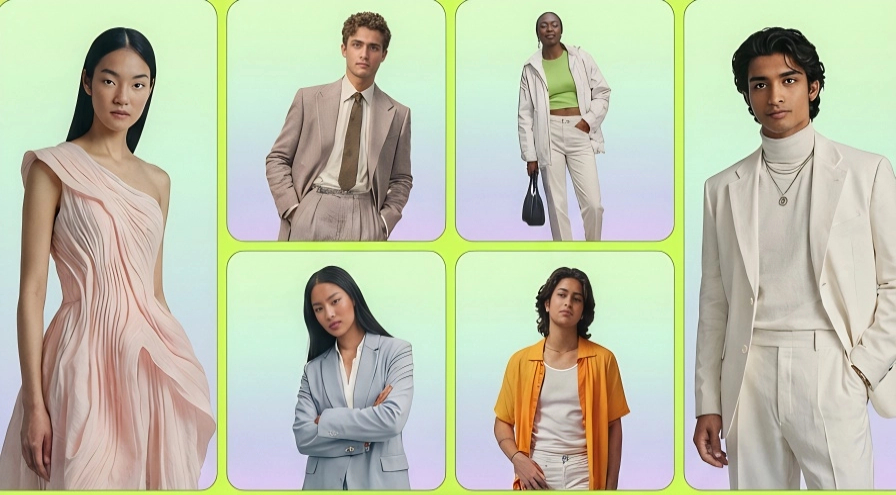
Step 2: From Static to Cinematic (The Secret Weapon)
Here is where most sellers get stuck. They post the static AI image and wonder why views are low.
Pro Tip: TikTok and Reels prioritize video.
Once you have your generated ai outfit try-on image from Pic Copilot, don't just download it. Turn it into a video instantly.
Pic Copilot isn't just an AI mannequin tool; it's a content suite. You can take that generated model photo and use our [AI Video Maker] (Internal Link to your Video Tool/Template Page) to add motion, music, and transitions automatically.
The Viral Video Recipes You Can Make in 5 Minutes
Here are three specific examples of how to use [fashion try on ai] to create engaging Reels/TikToks today:
Recipe #1: The "Snap" Transition (The Classic)
- The Concept: Show the clothes on the floor (the "Before"), then snap your fingers, and show the clothes on the AI Model (the "After").
- How to do it:
- Take a photo of the item on the floor.
- Use Pic Copilot to generate the ai outfits on a model.
- Import both images into our Video Maker.
- Use a "Beat Sync" template. The AI handles the transition timing.
- Why it works: It’s satisfying to watch and shows the transformation from product to look.
Recipe 2: The "Infinite Wardrobe" Loop
- The Concept: Keep the model and background the same, but change the outfit every 0.5 seconds to the beat of trending audio.
- How to do it:
- Upload 5 different shirts to Pic Copilot.
- Apply them to the exact same AI model and background setting.
- Stitch these images together using our Ecommerce Video Templates.
- Why it works: It showcases your variety without boring the viewer. High retention rate!
Recipe 3: The "OOTD" Mood Board
- The Concept: A slow pan video showing the AI model wearing your dress, with overlay text describing the fabric and fit.
- How to do it:
- Generate your high-res model image.
- Use the "Image-to-Video" motion effect in Pic Copilot to add a subtle "Camera Pan" or "Zoom."
- Add trending lo-fi music.
- Why it works: It feels like a high-end fashion editorial but costs $0 to produce.
Why AI is the Best Social Media Assistant
Using [virtual try on fashion ai] tools isn't just about saving money; it's about consistency.
- No Bad Hair Days: Your AI model always looks fresh.
- Global Reach: Test different model ethnicities for different audiences (e.g., use an Asian model for your TikTok Shop in Southeast Asia, and a Caucasian model for US Instagram Reels).
- Speed: You can shoot content for 10 SKUs in the time it takes to steam iron one real shirt.
Ready to Explode Your Views?
Stop letting your inventory sit in piles waiting for a photoshoot.
- Generate the Look with our AI Mannequin.
- Animate the Look with our [Video Generation Tools] (Internal Link).
- Post and Sell.