


 Prova Virtual
 Troca de Modelo com IA
 Modelos em Vídeo
 Avatar de Produto
  Vista Tudo
 Prova Virtual De Acessórios
 Fundos de IA
 Clone de Estilo
 Remover Marca d'Água
 Templates de IA
 Tradutor de Imagens
 Prova Virtual de Calçado
 Avatares com IA
 Removedor de Fundo
 Sombras com IA
 Upscaler de Imagens
 Aprimorador de Imagens
How Do I Get a Refund on PicCopilot? Step-by-Step Guide-2026
 Pic Copilot Team
TL;DR: To secure a refund for an unintended charge, you must first cancel your subscription in Account Settings, and then immediately email support@piccopilot.com before using any Pcoins or premium features.
Yes, PicCopilot offers refunds under specific conditions. If you were charged unexpectedly for an auto-renewal or accidentally purchased the wrong plan, you can request a refund.
Refund Processing Specifications
Metric | Detail |
Eligibility Window (New Purchases) | Within 7 days (if 0 credits consumed) |
PicCopilot Processing Time | 3–5 business days |
Bank/Stripe Processing Time | 5–10 business days |
Refund Currency | USD (United States Dollar) |
Step 1: How to Cancel Your Subscription
Before requesting a refund, you must cancel your active mandate to prevent future charges:
- Log in to your PicCopilot account.
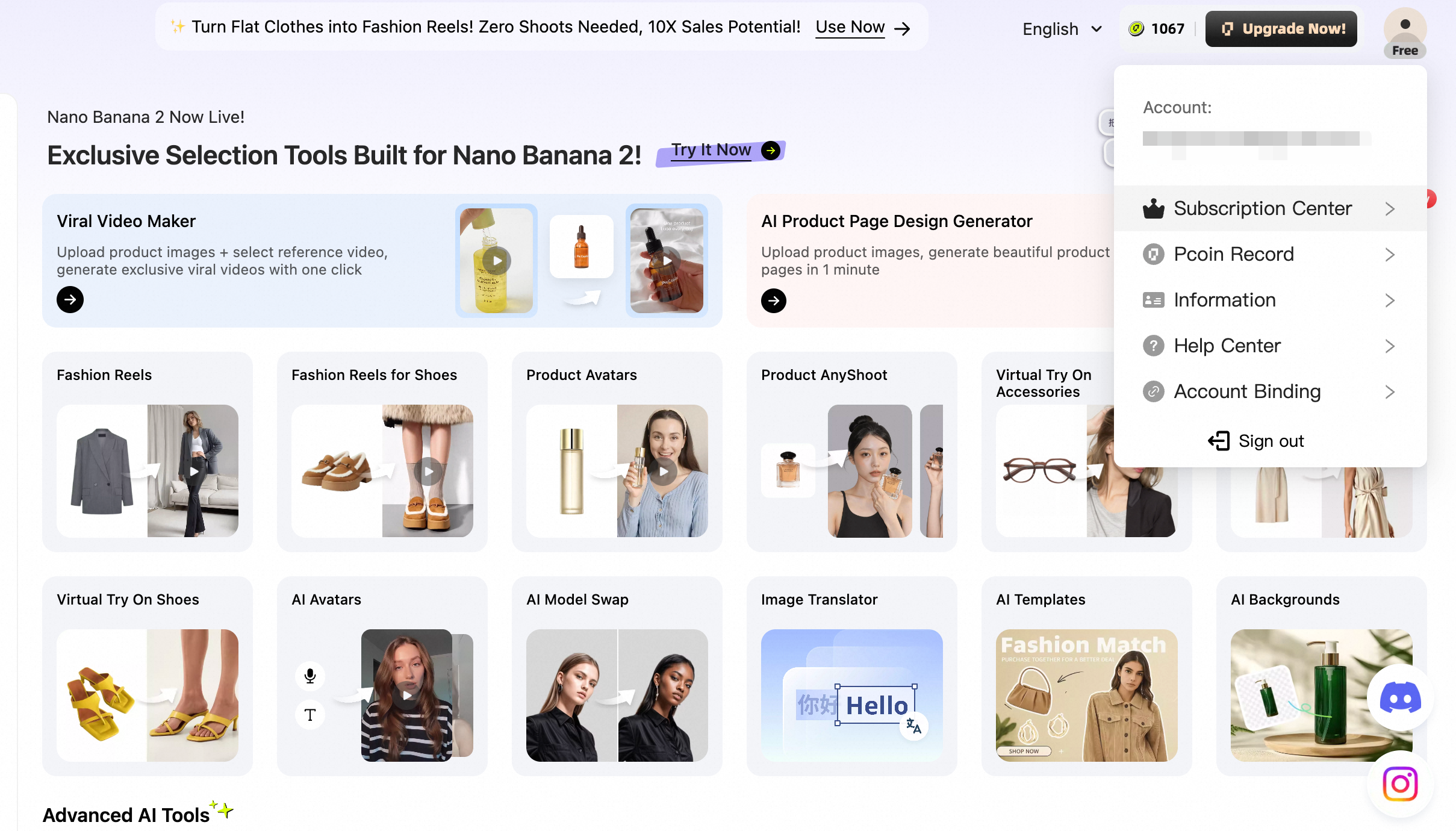
- Click your profile icon in the top-right corner.
- Navigate to Account Settings → Subscription.
- Click the Cancel Subscription (or Unsubscribe) button.
- Confirm the cancellation prompt.
[📸 Image Placeholder: Screenshot of the Account Settings page, clearly highlighting the "Cancel Subscription" button]
Step 2: How to Submit a Refund Request
Cancellation does not automatically trigger a refund. You must officially request it:
- Send an email to support@piccopilot.com using your registered account email.
- Subject line must be: "Refund Request".
- Include the exact date and amount of the charge.
- State a brief reason (e.g., "Forgot to turn off auto-renewal").
- Attach a screenshot of the billing record from your dashboard to expedite processing.
🚀 Need to manage your account settings? Open PicCopilot Billing
Frequently Asked Questions
I forgot to cancel and was charged for auto-renewal. Can I get a refund?
Yes. If the auto-renewal charge just processed and you have strictly not used any credits or premium tools since the renewal timestamp, you are eligible. Email us immediately so we can verify your zero-usage status and authorize the refund.
I cancelled my subscription but the status still shows "Active". Why?
This is normal. When you cancel, you are turning off future billing. Your account remains "Active" with Pro benefits until the end of the current billing cycle you already paid for. After that date, it will downgrade to the Free plan.
Will I lose my Pcoins after a refund is issued?
Yes. Any Pcoins allocated to your account as part of that refunded subscription period will be instantly revoked. If you already spent some of those new Pcoins, the dollar value of the spent credits may be deducted from your total refund amount.
Why is my money not in my bank account yet?
Refunds require two stages. PicCopilot approves and releases the funds within 3–5 business days. However, your local bank or credit card provider requires an additional 5–10 business days to clear the incoming USD international wire. If 15 days have passed, contact your bank with the ARN (Acquirer Reference Number) we provide.